Walk into any operations team in 2026 and you will see the same picture.
A whiteboard full of tools.
- One for prompts.
- One for browser tasks.
- One for scheduled jobs.
- One for flows.
- One for notifications.
- One for storing context.
- One for approvals.
- One for the team to actually talk to each other.
Each one was added to solve a real problem. None of them were chosen as part of a coherent stack.
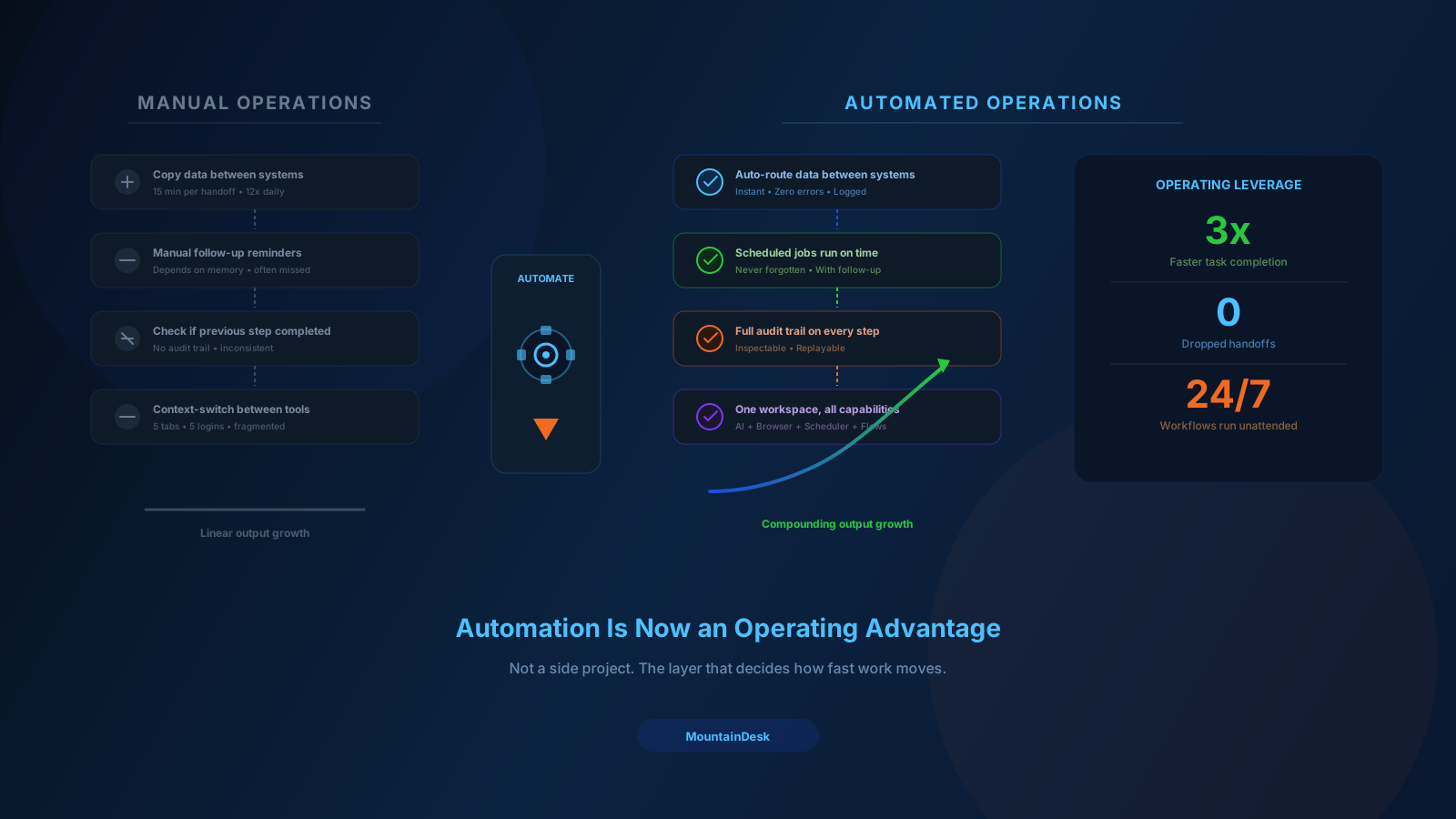
The result is what every operator already knows: lots of tools, lots of logins, lots of switching, and very little compounding leverage.
You do not need more tools.
You need a cleaner stack.
What an Operations Stack Actually Has to Do
Strip away the branding and every operations team needs the same five capabilities:
- Prompting. Talk to AI models with context.
- Execution. Reach files, browsers, APIs, and OS-level actions.
- Scheduling. Run recurring work without anyone remembering it.
- Orchestration. Compose multi-step flows with branches, retries, and approvals.
- Review. See what ran, what it produced, and decide what to do next.
That is the stack. Five layers. Everything else is detail.
If your current setup makes any of these five layers slow, fragile, or invisible, the stack is the problem — not the people running it.
Layer 1: Prompting With Context
Prompting is not just typing into a chat box.
In a real operations context, prompting needs:
- Multi-model support. Different models for different jobs. Cheap models for classification. Strong models for synthesis. Local models for sensitive data.
- Working folder scope. The model needs to know which files, projects, and context it is operating against.
- History that persists. Conversations should not start cold every session.
- Reusable templates. Common prompts should not be rewritten from scratch every time.
If your prompting layer is just a browser tab, every session starts from zero. That cost adds up.
Layer 2: Execution
This is where most "AI tools" stop short.
A model that can describe what to do but cannot actually do it is a thin layer of value.
A real execution layer can:
- Read and write files.
- Drive a browser through real interactions — open URLs, click links, fill fields, log in, scrape structured data.
- Run system commands with proper confirmations and audit.
- Call APIs and external services.
- Capture output and feed it back so the next step can react to what actually happened.
Execution is what turns AI from a research assistant into an operator.
Layer 3: Scheduling
If a workflow only runs when a human remembers it, it is not a workflow. It is a habit.
A real scheduling layer can:
- Run on a cron-style schedule for recurring work.
- Trigger on events like a folder change, a new file, or a system signal.
- Choose the model and agent at run time.
- Define follow-up behavior for success and failure.
- Surface results in a single activity stream the operator can scan.
The shift from "I run this every Monday" to "this runs every Monday and tells me when it is done" is one of the highest-ROI changes a small team can make.
Layer 4: Orchestration
Most real work is not one prompt. It is a chain.
- Pull data from a source.
- Process it with AI.
- Validate the output.
- Branch based on the result.
- Loop where needed.
- Notify a human at the right moment.
That chain needs an orchestration layer:
- Visual flows so the logic is inspectable, not buried in code.
- Reusable templates so common chains are built once and used many times.
- Branching for success, failure, and conditional paths.
- Retries and timeouts for resilience.
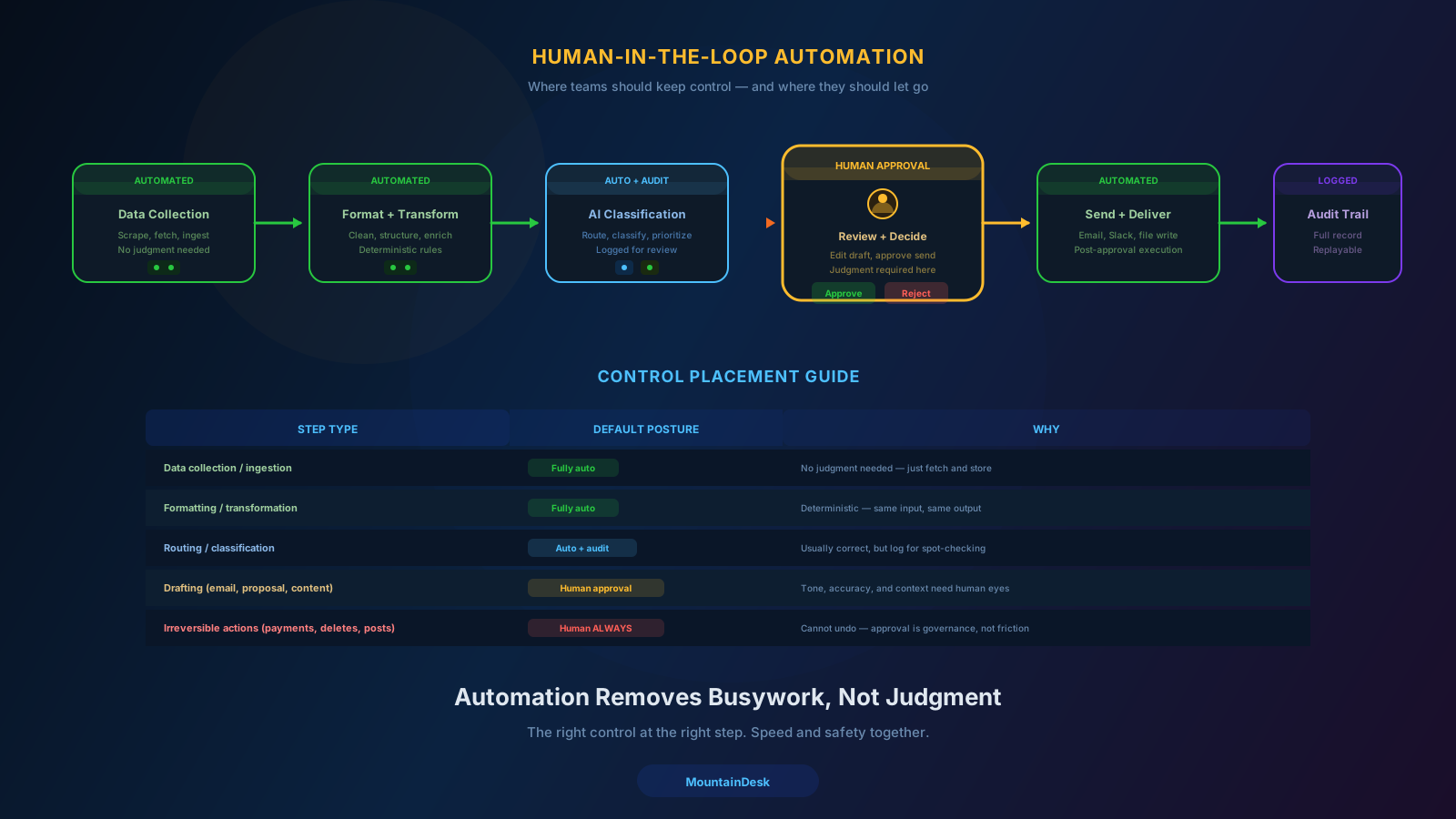
- Approvals as first-class steps, not bolt-ons.
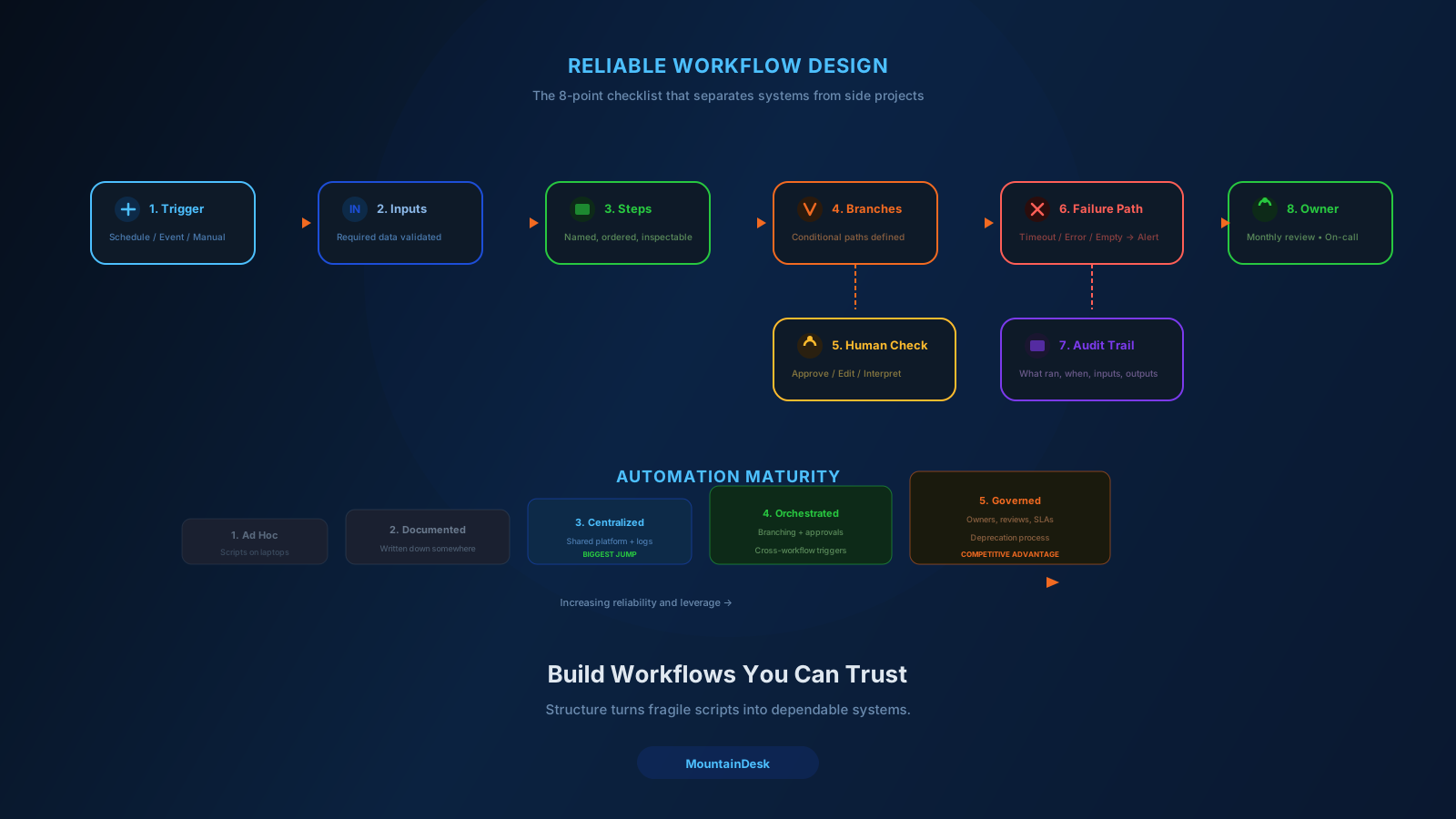
Orchestration is what makes the difference between automation that grows with the team and automation that becomes a museum of broken scripts.
Layer 5: Review
The review layer is the one teams skip first and regret last.
A real review layer:
- Logs every run — inputs, outputs, decisions, errors.
- Surfaces the right runs to the right humans at the right time.
- Makes decisions one click away — approve, edit, reject, escalate.
- Keeps an audit trail that survives staff turnover.
- Routes notifications to the channel the team actually uses.
If your review experience is "scroll through Slack messages and hope you did not miss one," your stack is missing the most important layer.
What Most Stacks Look Like Today
In practice, most operations teams have built something like this:
| Layer | Common Tool |
|---|---|
| Prompting | ChatGPT or Claude in a browser tab |
| Execution | A mix of scripts, Zapier, custom code |
| Scheduling | Cron, Zapier scheduled flows, Google Calendar reminders |
| Orchestration | Zapier, Make, n8n, or nothing |
| Review | Slack, email, "I think it ran?" |
This works. It also creates several real problems:
- Five tools, five logins, five billing cycles.
- No shared context — each tool reasons about the world separately.
- No unified audit trail.
- Constant tab switching for the operator.
- High onboarding cost for new team members.
The stack technically functions. The team pays for it in friction.
What a Consolidated Stack Looks Like
A consolidated stack collapses those five layers into one operating surface where:
- The model is in scope.
- The browser is in scope.
- The scheduler is in scope.
- The flow builder is in scope.
- The notifier is in scope.
- The audit trail is in scope.
The benefit is not just fewer logins. It is shared context. The same prompt that powered yesterday's flow is reusable today. The same agent that handled the morning research can drive the afternoon outreach. The same approval pattern works across every workflow.
When all five layers live in one workspace, your stack starts to compound.
How to Pick a Stack You Will Not Outgrow
Most stacks fail at one of three points:
- Single-purpose tools that cannot grow beyond their original use case.
- Heavy enterprise platforms that take months to set up and require dedicated admins.
- DIY scripts that work for the person who built them and break for everyone else.
The right stack for most operations teams sits between those extremes:
- Powerful enough to handle multi-step workflows with branching, scheduling, and approvals.
- Light enough that an operator can stand up a new flow in an afternoon.
- Local-first so sensitive work does not have to leave the environment.
- Cloud-friendly so the team can collaborate when they need to.
- Integrated enough that prompts, execution, schedules, flows, and review all live in one place.
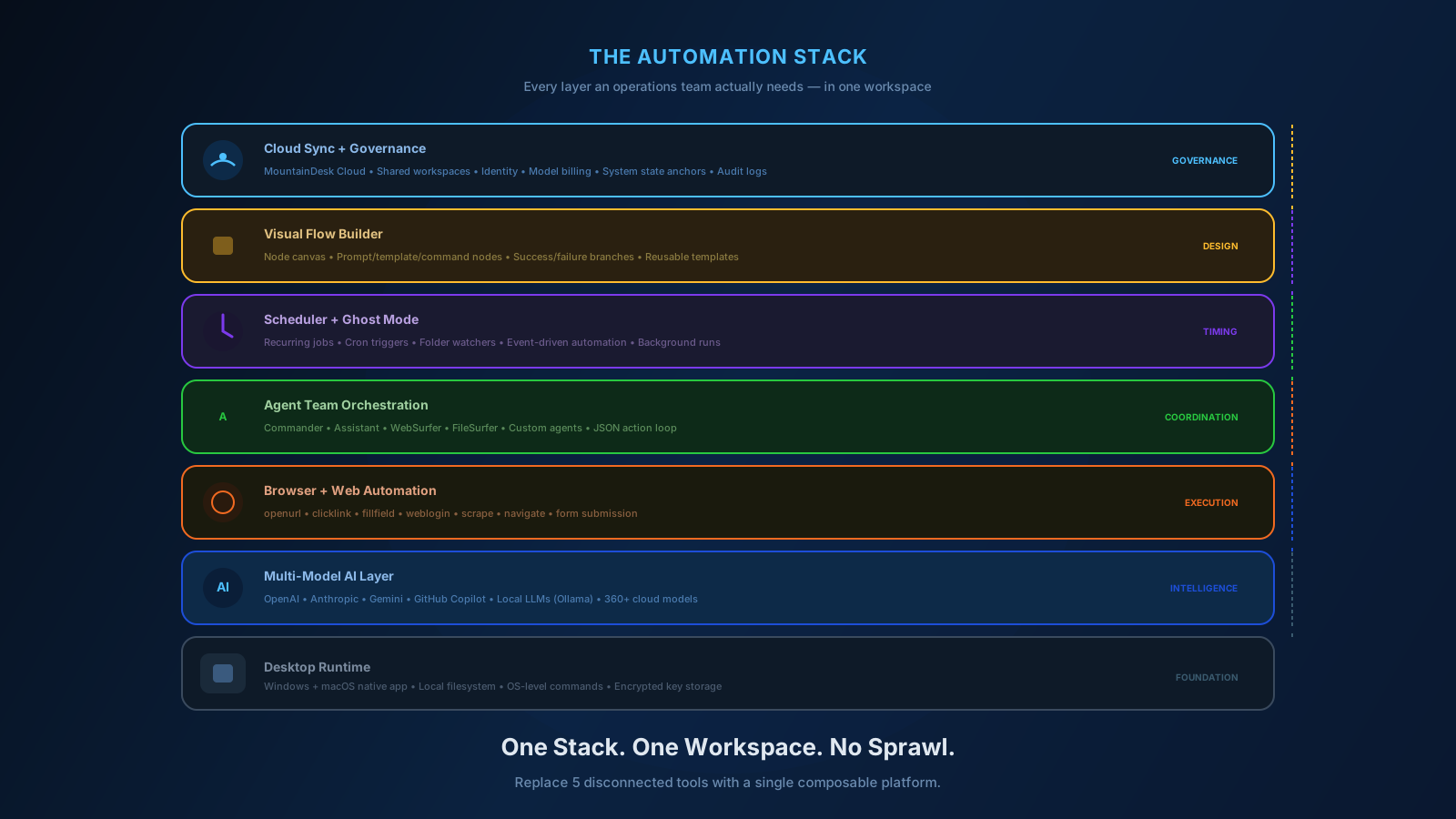
That is the modern operator stack. Not one tool per layer. One workspace for the whole stack.
How MountainDesk Maps to the Five Layers
MountainDesk was designed around exactly this five-layer model.
| Layer | MountainDesk Capability |
|---|---|
| Prompting | Multi-model chat with working folder scope, agents, and templates |
| Execution | Command execution loop, browser automation, MCP, file actions |
| Scheduling | Scheduled jobs with model and agent selection, success and failure follow-up |
| Orchestration | Visual flow builder with prompt, template, and command nodes; branching; retries |
| Review | Activity stream, logs, system state anchors, Slack and Telegram notifications |
It is not a single tool that does one of these well. It is a workspace that does all five from one surface.
For most operations teams, that is the stack consolidation that finally pays back.
Final Takeaway
The teams getting real leverage out of AI in 2026 are not the ones with the most tools.
They are the ones with the cleanest stack.
Prompting with context. Real execution. Reliable scheduling. Composable orchestration. Honest review.
Five layers. One workspace.
That is the operations stack worth building.
Ready to Consolidate Your Operations Stack?
If you want one workspace for AI, browsers, schedules, flows, and review, try MountainDesk.
MountainDesk is the desktop AI automation platform that consolidates prompting, execution, scheduling, orchestration, and review into one operator workspace.