There is a fantasy in AI automation that the goal is zero humans.
You wire up an agent. It does the work. You go fishing.
In practice, the teams that have actually deployed AI at scale have learned something different:
The most reliable systems are not fully hands-off. They are designed so software handles repetition while people control risk, quality, and final judgment.
That is what "human in the loop" means in practice. Not slow. Not bureaucratic. Just deliberate about where humans add value and where they get in the way.
Why Fully Autonomous Sounds Better Than It Is
Fully autonomous workflows have three predictable failure modes:
1. Quiet Drift
The model produces something that looks right but is subtly wrong. Nobody catches it. It compounds.
2. Irreversible Mistakes
A delete, a send, a payment, a public post. Once it happens, you cannot take it back.
3. Trust Collapse
After one bad incident, the team adds manual checks back in everywhere — and now you have automation plus the manual work it was supposed to remove.
Pure autonomy maximizes speed in the best case and cost in the worst case.
A well-designed loop maximizes speed in the average case, which is what actually matters in operations.
The Three Questions That Decide Where Humans Belong
For any step in a workflow, ask:
- Is the action reversible? If no, a human should approve.
- Is the cost of being wrong high? If yes, a human should review.
- Does the step require interpretation, taste, or relationship judgment? If yes, a human should decide.
If the answer to all three is no, automate freely.
If the answer to any of them is yes, design a checkpoint.
The Loop Patterns That Actually Work
Not every checkpoint is the same. There are four useful patterns.
1. Approval Gate
The workflow runs up to a point and pauses. A human approves, edits, or rejects. Common for: outbound emails, proposals, client deliverables, contract changes.
2. Spot Check
The workflow runs autonomously, but a sample of outputs is routed to a human for periodic review. Common for: classification, tagging, summarization at volume.
3. Confidence Routing
The model returns a confidence score. High-confidence runs proceed automatically. Low-confidence runs go to a human. Common for: support triage, lead scoring, document extraction.
4. Exception Escalation
The workflow runs by default. When something unusual happens — empty result, schema mismatch, retry limit hit — it gets escalated. Common for: scheduled jobs, monitoring, ingestion pipelines.
The right pattern depends on volume, risk, and reversibility. Most production workflows use a mix.
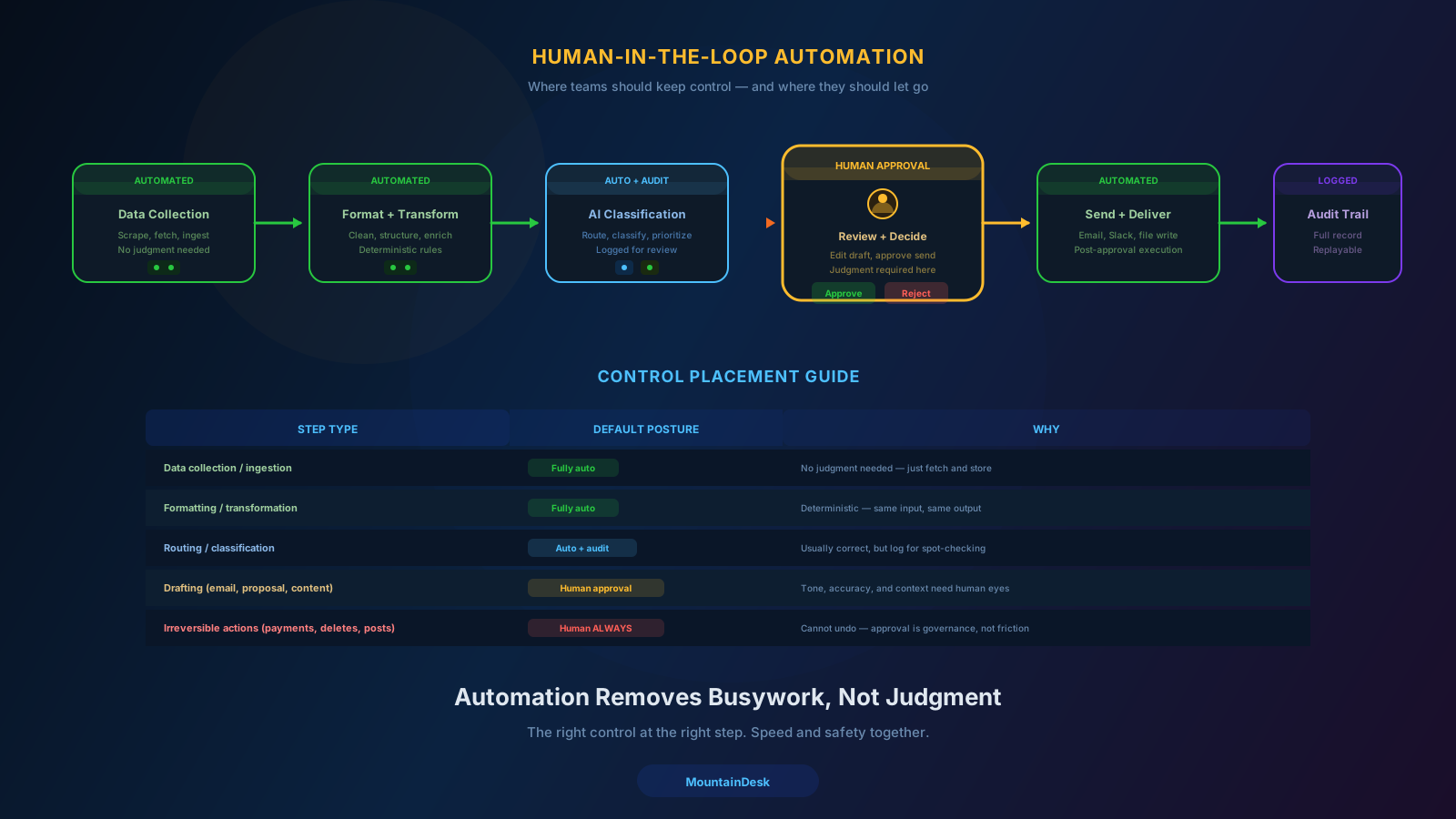
A Practical Map: When to Use Which Pattern
| Workflow Step | Recommended Pattern |
|---|---|
| Researching a prospect | Fully automated |
| Drafting an outreach email | Approval gate before send |
| Classifying inbound leads | Confidence routing |
| Generating a weekly report | Spot check |
| Posting publicly to social | Approval gate, always |
| Deleting files or records | Approval gate, always |
| Running a recurring scrape | Exception escalation |
| Producing a client proposal | Approval gate, with edit |
| Tagging support tickets | Confidence routing |
| Triggering a payment | Approval gate, always |
This is not a prescription. It is a starting point. The actual map depends on your business, your risk tolerance, and your volume.
What "In the Loop" Should Not Mean
A common mistake is putting humans in the loop everywhere.
That defeats the point. If a person has to click "approve" on every step of every workflow, you have built a slower manual process — not an automated one.
Avoid these anti-patterns:
- Approval theater. Asking for approval on steps that nobody actually reviews.
- Notification spam. Pinging humans on every run, even when everything is fine.
- Choke-point reviewers. Routing everything through one person who becomes the bottleneck.
- Reviewing without context. Asking a human to approve without showing inputs, outputs, and what changed.
A good checkpoint is fast, contextual, and rare. If it is none of those, redesign it.
The Operator Experience Matters
Human-in-the-loop only works if the human experience is good.
That means:
- One place to review. Not five Slack threads and three dashboards.
- Clear context. What ran, with what inputs, producing what output.
- One-click decisions. Approve, edit, reject, or escalate without leaving the surface.
- A trail of what happened. So a future reviewer can understand the past.
If reviewing a workflow takes longer than doing it manually, the workflow has failed.
Governance Without Bureaucracy
At scale, human-in-the-loop becomes governance:
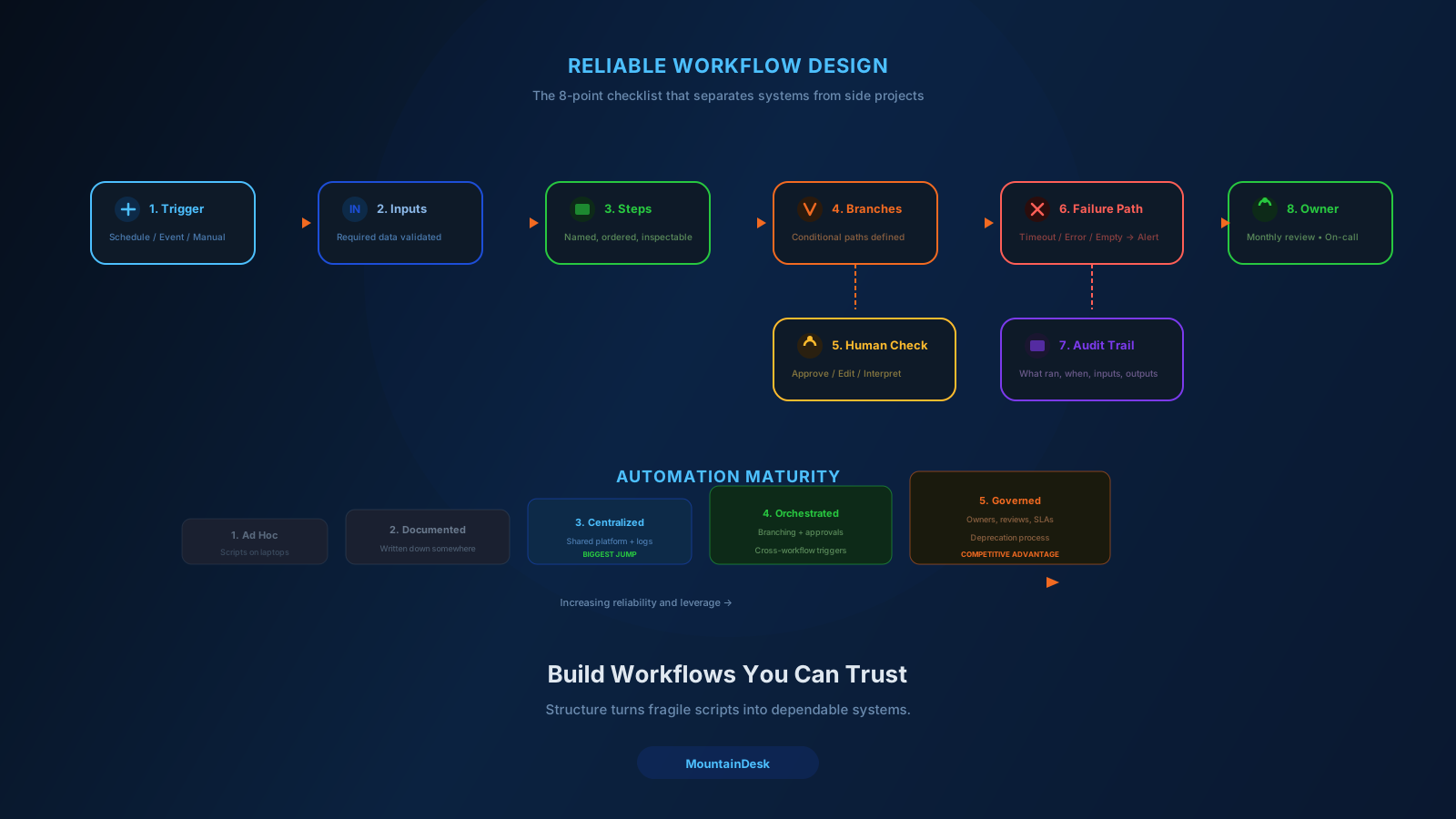
- Owners. Every workflow has a named owner.
- SLAs. Approvals are expected within a defined window.
- Audit trails. Every run, every input, every output, every decision is recoverable.
- Reviews. Workflows are revisited periodically, not just at incident time.
- Deprecation. Workflows that are no longer useful get retired, not left running.
The point is not paperwork. The point is making sure your automation does not slowly drift away from what the business actually wants.
Mature teams treat workflows like products. They have owners, roadmaps, and end-of-life plans.
Where AI Models Fit in the Loop
Models are not just executors. They can also help run the loop:
- Triage which runs need human attention.
- Summarize what changed for a reviewer.
- Pre-fill the human's response based on past decisions.
- Flag anomalies relative to historical patterns.
- Suggest edits to drafts before approval.
The result is that a single human can supervise far more workflows than they could before — without losing oversight.
This is the real promise of "AI plus humans." Not replacement. Multiplication.
A Common Objection
"Doesn't a human in the loop slow everything down?"
Only if you put them in the wrong loop.
A human approving an outbound email adds five seconds and prevents a public mistake.
A human reviewing every internal classification adds nothing and bottlenecks the team.
The skill is knowing the difference and designing accordingly.
How MountainDesk Supports the Loop
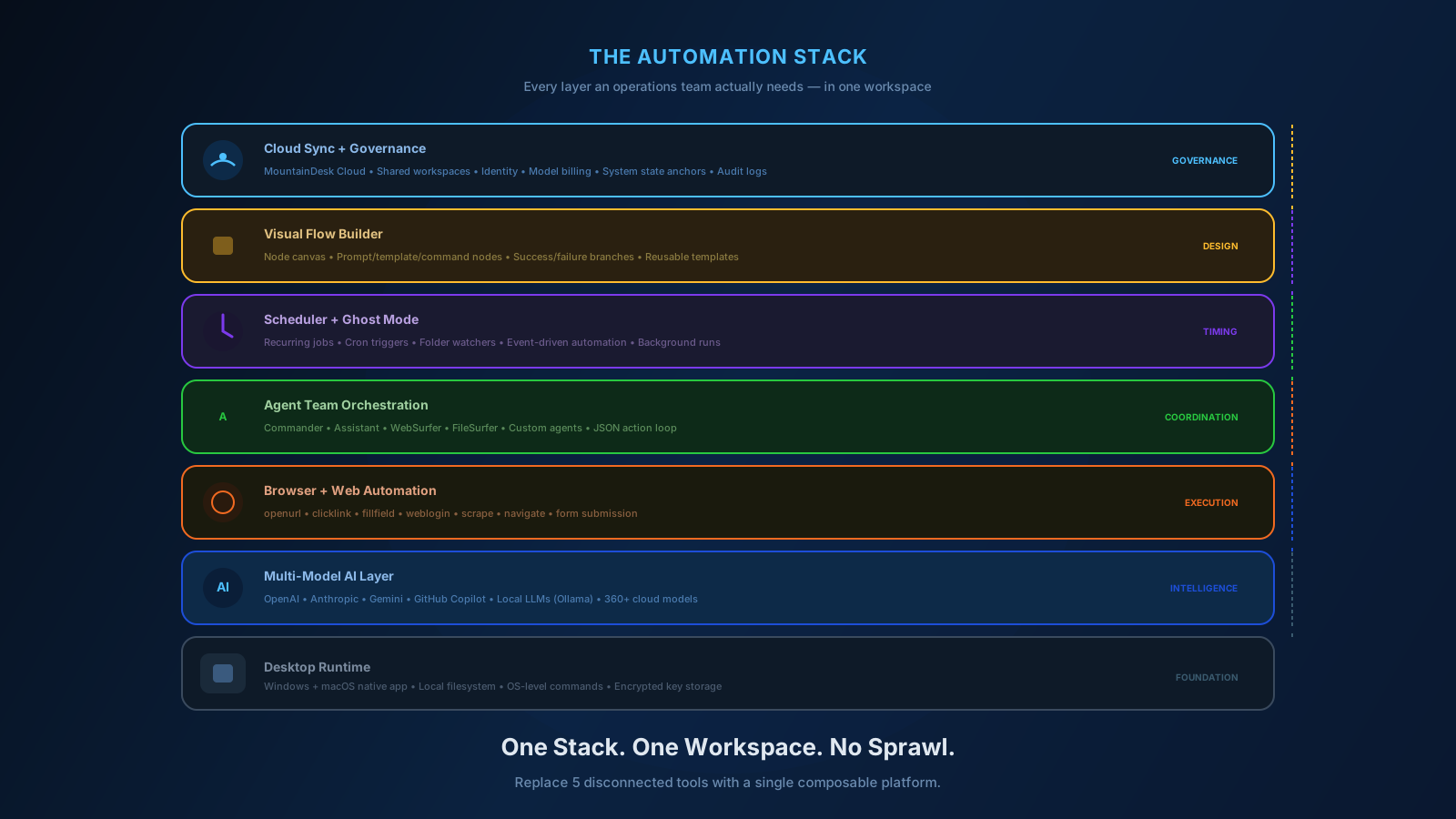
MountainDesk is built around the assumption that real workflows mix automation with human checkpoints.
- Visual flow builder with explicit branches for success, failure, and approval steps.
- Command confirmations that let operators approve actions before they execute.
- Instant system state anchors so risky steps can be rolled back if a human catches a problem.
- Scheduled jobs with success and failure follow-up behavior, including human notification.
- Activity stream so reviewers see what ran, when, with what inputs and outputs.
- Slack and Telegram integration so checkpoints reach the operator wherever they work.
- Cloud workspaces so the same workflow logic, including human gates, is shared across the team.
The goal is not to remove humans. It is to make sure the humans you have are spending their time on the decisions that actually matter.
Final Takeaway
The strongest automation systems in 2026 are not the most autonomous.
They are the most well-designed loops.
They let software handle repetition. They keep humans on judgment. They make the handoff between the two fast, contextual, and rare.
That balance is what scales without breaking.
Ready to Build Workflows That Mix Automation With Judgment?
If you want a single workspace for AI, browser automation, schedules, approvals, and audit trails, try MountainDesk.
MountainDesk is the desktop AI automation platform for teams that want speed and oversight in the same workflow.