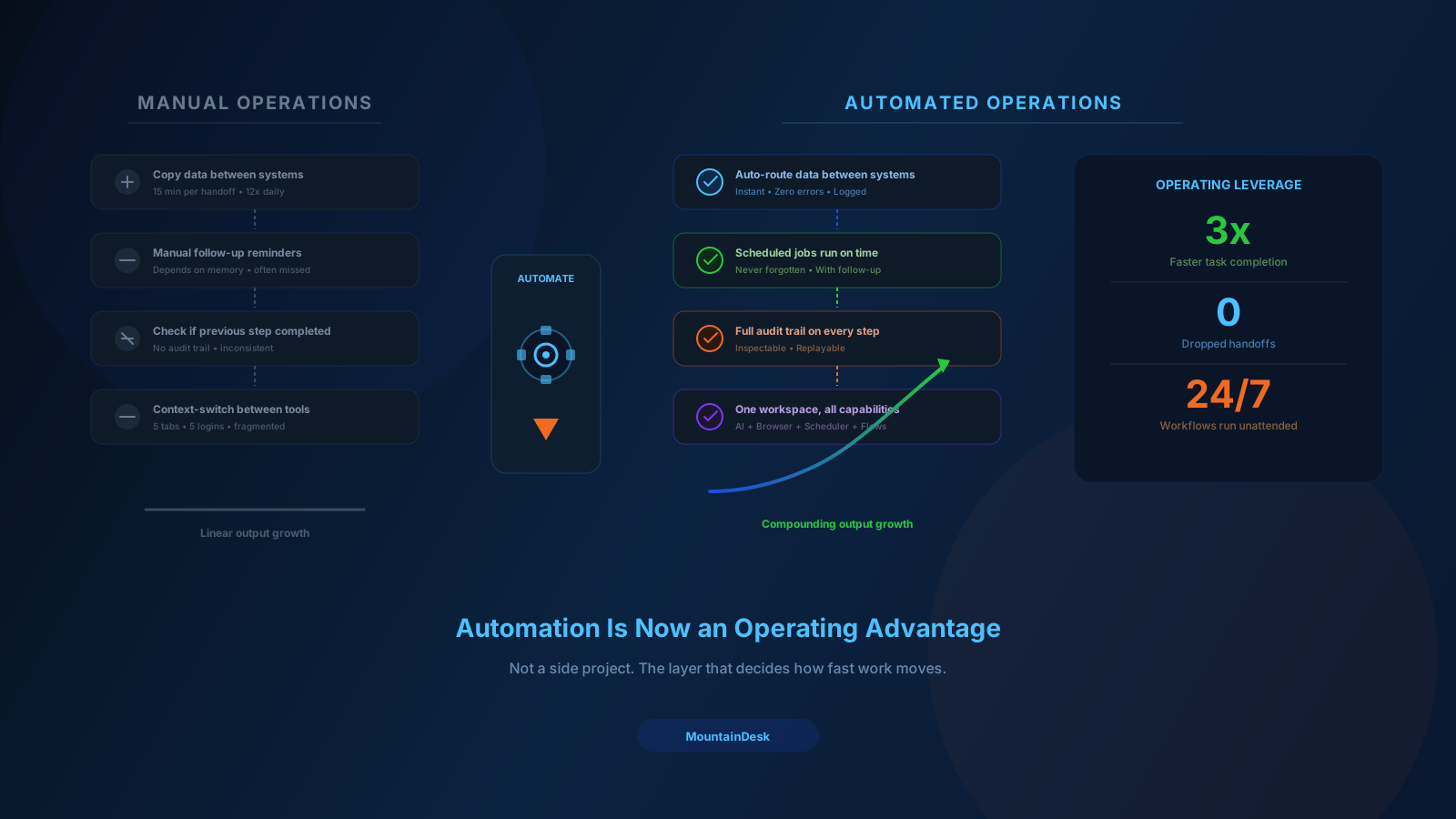
Most automation stacks break down in the same place: between tools. One step runs in a browser bot, another step lives in a prompt, a third depends on a desktop action, and the rest still rely on someone remembering when to run them. The result is not really automation. It is a chain of partial helpers with human glue holding everything together.
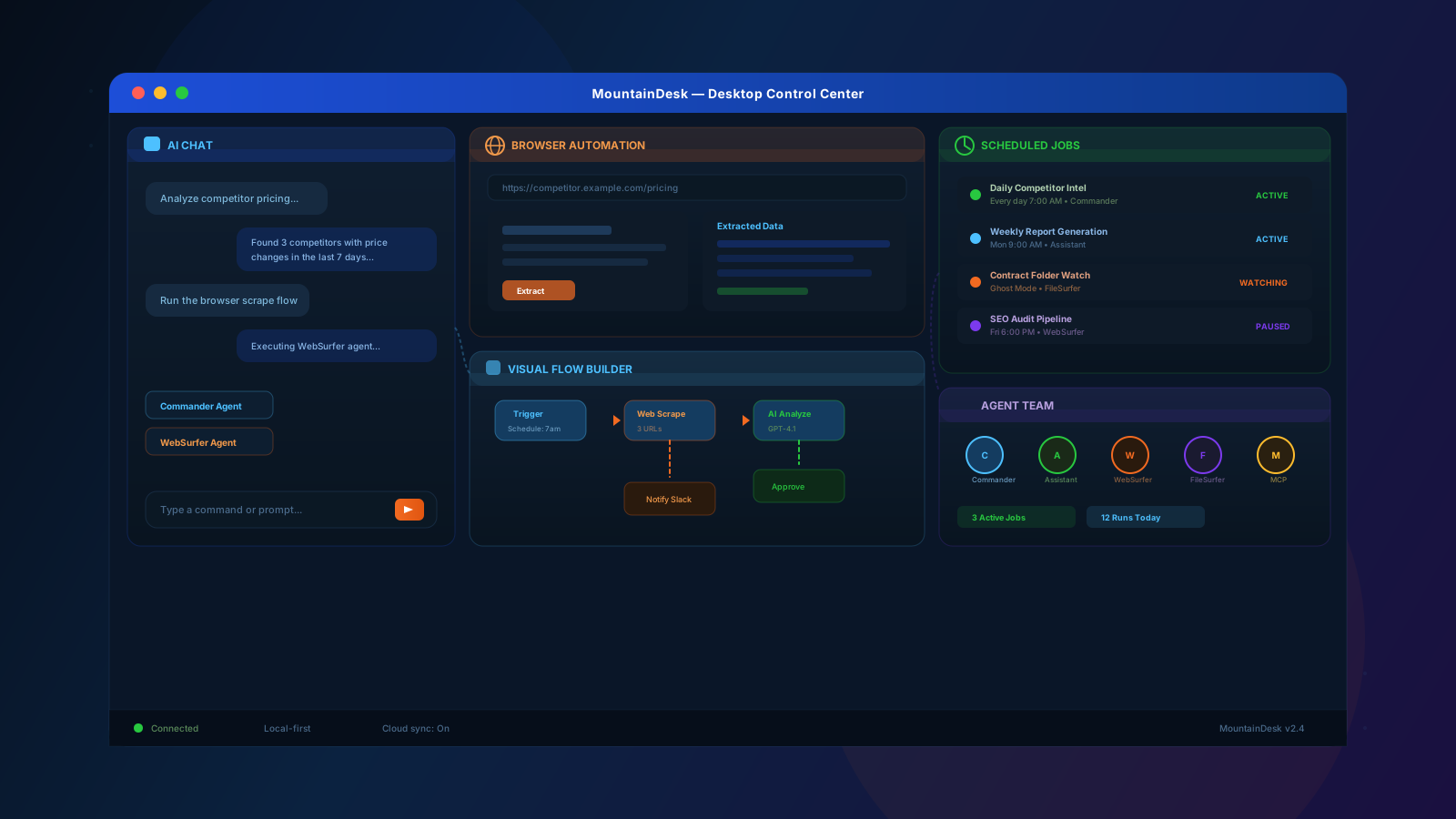
MountainDesk is built to fix that gap. It gives operators a desktop control center where AI execution, browser automation, desktop actions, scheduled jobs, reusable flows, and human review can run inside one working surface. Instead of rebuilding context every time work crosses a boundary, the workflow stays intact from trigger to outcome.
That matters because real operational work is rarely a single prompt or a single click. It is usually a sequence: monitor an inbox or folder, inspect the incoming context, open a web system, extract or submit data, generate a first pass with AI, route the result for approval, and then ship the final action on schedule. MountainDesk is designed for that full chain.
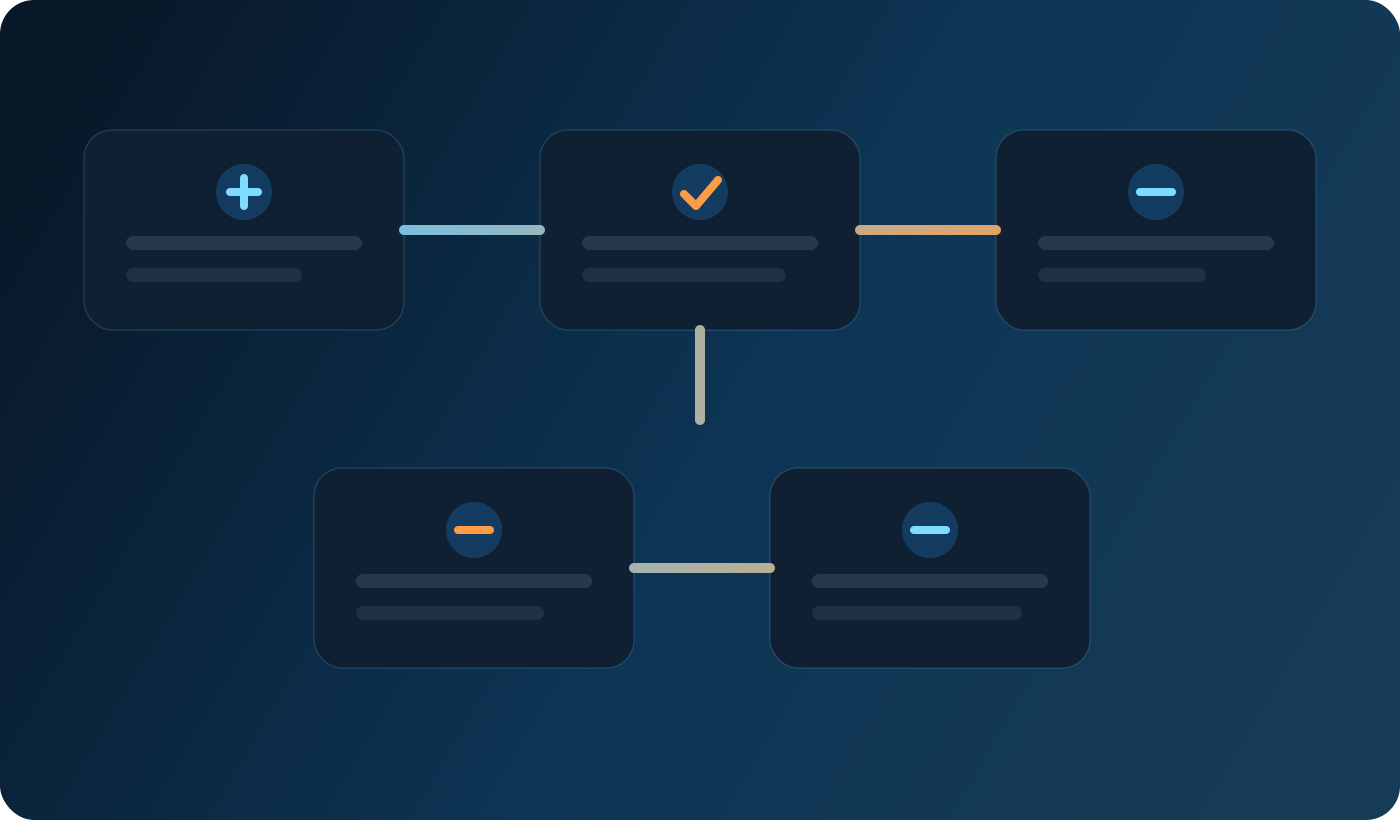
MountainDesk is designed for workflows that need context, branching, execution, and review in one place.
Why teams outgrow disconnected automation tools
Point tools can handle one slice of the job well. A browser automation tool can navigate sites. A chatbot can draft text. A scheduler can trigger recurring tasks. The friction shows up when those pieces need to share state, pass files, preserve decisions, and recover from exceptions. Operators end up copying data between tabs, manually starting the next step, or checking whether the previous system actually finished.
That creates four recurring problems:
- Context gets lost. Every tool sees only one step, not the full workflow.
- Ownership gets blurry. When something fails, nobody can see the full chain cleanly.
- Scheduling stays fragile. Recurring work still depends on a person to keep it moving.
- Humans stay stuck in coordination. Skilled operators spend time moving work between systems instead of reviewing decisions.
MountainDesk approaches automation as an operating layer, not a collection of isolated helpers. The goal is to keep the workflow coherent even when it combines AI reasoning, browser actions, desktop-level work, local files, and approval steps.
What MountainDesk actually automates
MountainDesk is especially useful for workflows that cross boundaries. That can include lead research, internal reporting, support intake, recurring publishing tasks, browser-based data collection, file-driven document work, and approval-based delivery flows.
Inside one workspace, teams can coordinate:
- AI-assisted steps. Drafting, summarization, classification, extraction, rewriting, and decision support.
- Browser automation. Logging in, navigating, collecting structured information, filling forms, and pushing updates into web systems.
- Desktop actions. Local workflows that depend on files, folders, installed tools, and workstation context.
- Scheduled jobs. Repeatable tasks that should run daily, weekly, or on a defined operational cadence.
- Reusable visual flows. Multi-step automations that can be rerun, handed to another operator, and improved without rewriting everything.
- Approval checkpoints. Human-in-the-loop moments where judgment matters before the workflow proceeds.
The key idea is simple: the workflow should not have to change platforms every time the nature of the work changes. A good automation surface lets browser, AI, and desktop execution behave like parts of one system.
How a workflow runs inside MountainDesk
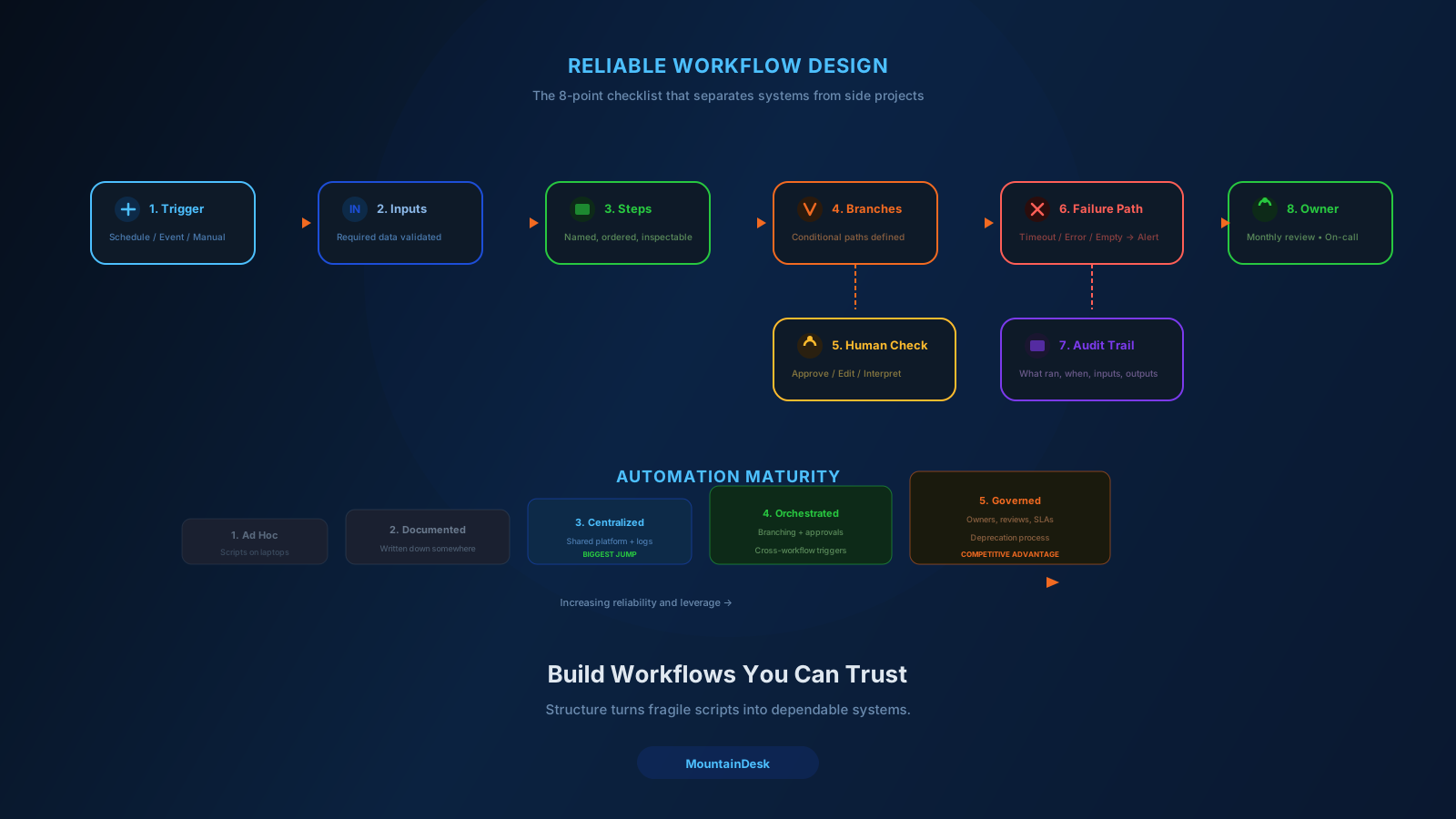
A practical MountainDesk workflow usually follows a clear operating pattern.
- Trigger. A schedule, folder event, operator action, or incoming task starts the flow.
- Context collection. Files, URLs, prompts, prior notes, and workflow settings are loaded into the run.
- Decision and drafting. AI handles extraction, summarization, routing, or first-pass writing.
- System action. Browser or desktop steps execute the next part of the work.
- Review or escalation. If a branch requires judgment, a human checks it before final execution.
- Completion and repeatability. The result is preserved so the same flow can run again with less friction.
That pattern sounds obvious, but many teams still run it across separate apps with no durable center. When all of those stages live inside one operational surface, the workflow becomes easier to inspect, easier to trust, and easier to improve.
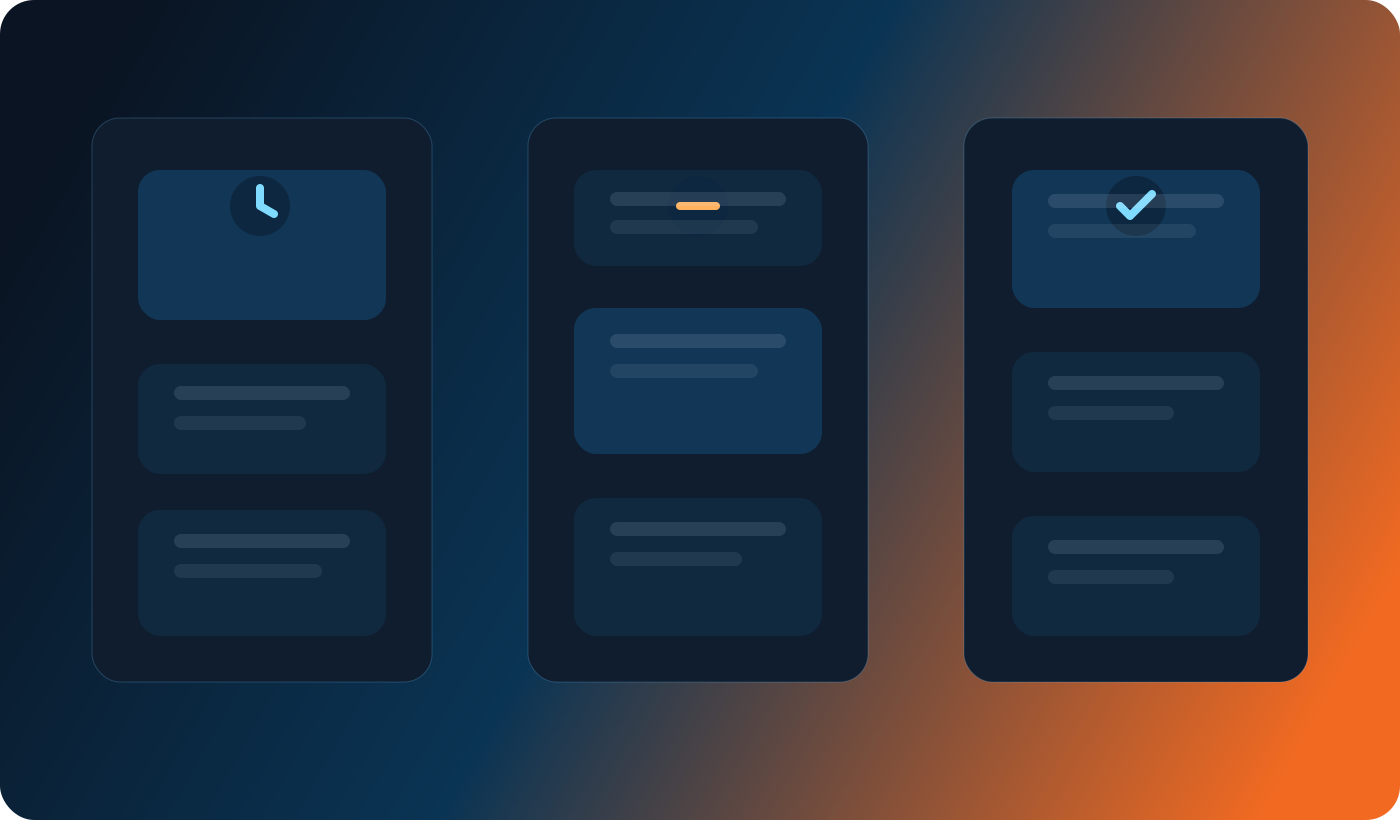
Recurring jobs, review points, and final outputs can stay inside one operational loop instead of being spread across separate apps.
Why the desktop-first model matters
A lot of important work still starts on the operator's machine. Files arrive in folders. Internal tools open in the browser. Credentials and session state live in the local environment. Supporting tools are already installed on the workstation. Cloud orchestration is useful, but many teams still need a place where local execution is first-class instead of an afterthought.
That is where MountainDesk has an advantage. It treats the desktop as a serious automation surface, not just a place to open a chat window. Operators can work with local folders, run scheduled routines, coordinate browser tasks, and keep AI steps close to the same context that the rest of the workflow already depends on.
For teams that live inside operational reality rather than demo environments, that matters. The closer the workflow stays to the systems and files people already use, the less fragile it becomes.
Human review belongs inside the workflow
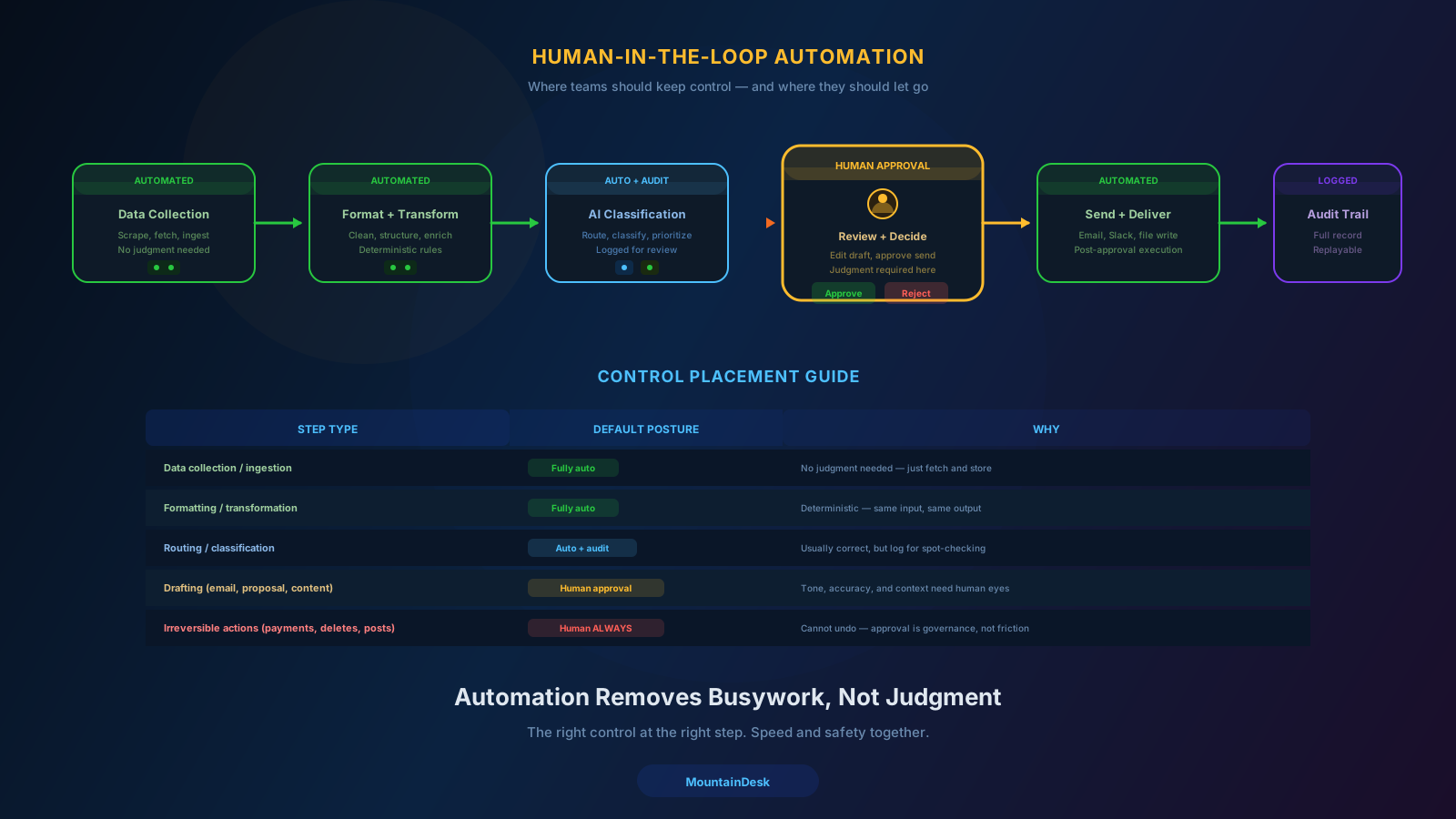
Good automation does not remove people from every decision. It removes them from the repetitive parts so their judgment can be applied where it actually matters. MountainDesk is well suited to that model because it can automate collection, classification, browsing, drafting, and preparation while still leaving a clean checkpoint before the last step.
That is useful when a workflow produces something public, touches customer data, submits changes into a system of record, or simply needs a final sense check before shipping. Approval is not a sign that automation failed. In many operational flows, approval is the governance layer that makes automation safe to rely on.
Where teams should start with MountainDesk
The best first workflow is usually not the flashiest one. It is the recurring process that crosses tools, causes avoidable delay, and does not need constant creativity to complete correctly. Good starting points include:
- Recurring browser-based research and reporting
- Inbox or folder monitoring followed by AI extraction
- Draft-first content or publishing workflows
- Support intake classification and escalation
- Data collection plus human approval before submission
Once one of those workflows is reliable, the rest of the program becomes easier. Teams stop treating automation like scattered experiments and start treating it like an operating discipline.
The practical takeaway
MountainDesk is not just another AI front end and it is not just another browser bot. Its value comes from combining the pieces that real work depends on: context, AI, browser execution, desktop access, recurring schedules, reusable flows, and approval-friendly delivery.
That combination gives teams a better answer to a common problem. Instead of asking which separate tool should own each step, they can keep the workflow in one place and decide where automation ends and human review begins. That is a much stronger foundation for repeatable operational work.
If your team already knows what should be automated but keeps losing momentum between prompts, tabs, scripts, and scheduled reminders, MountainDesk is the kind of control center that turns that scattered intent into a dependable workflow.
Explore MountainDesk or download the desktop app to start building repeatable flows that actually hold together.