Agent Team Orchestration
Route tasks to specialized agents like Assistant, Commander, FileSurfer, or WebSurfer with customizable names and roles.
Windows Agent Automation Suite
AI Commander for Windows is a desktop control center for power users. Chat with agents, run command chains, automate browser steps, schedule recurring tasks, and keep everything in one local Windows app.
Free version includes 4 AI messages/day and 2 scheduled tasks/day. Upgrade to Pro for unlimited access.
Route tasks to specialized agents like Assistant, Commander, FileSurfer, or WebSurfer with customizable names and roles.
Agents can produce runnable JSON actions. The tool executes them, captures output, and feeds results back to AI for follow-up.
Use built-in browser commands such as openurl, clicklink, fillfield, and weblogin to automate workflows.
Create recurring task prompts that auto-run at set times and return results directly to your activity stream.
Runs quietly from the system tray, supports start-with-Windows, and restores instantly when you need it.
Switch AI models, maintain profile/personality context, and tune assistant behavior for your exact workflow style.
From first launch to recurring automation — here's the workflow inside AI Commander.
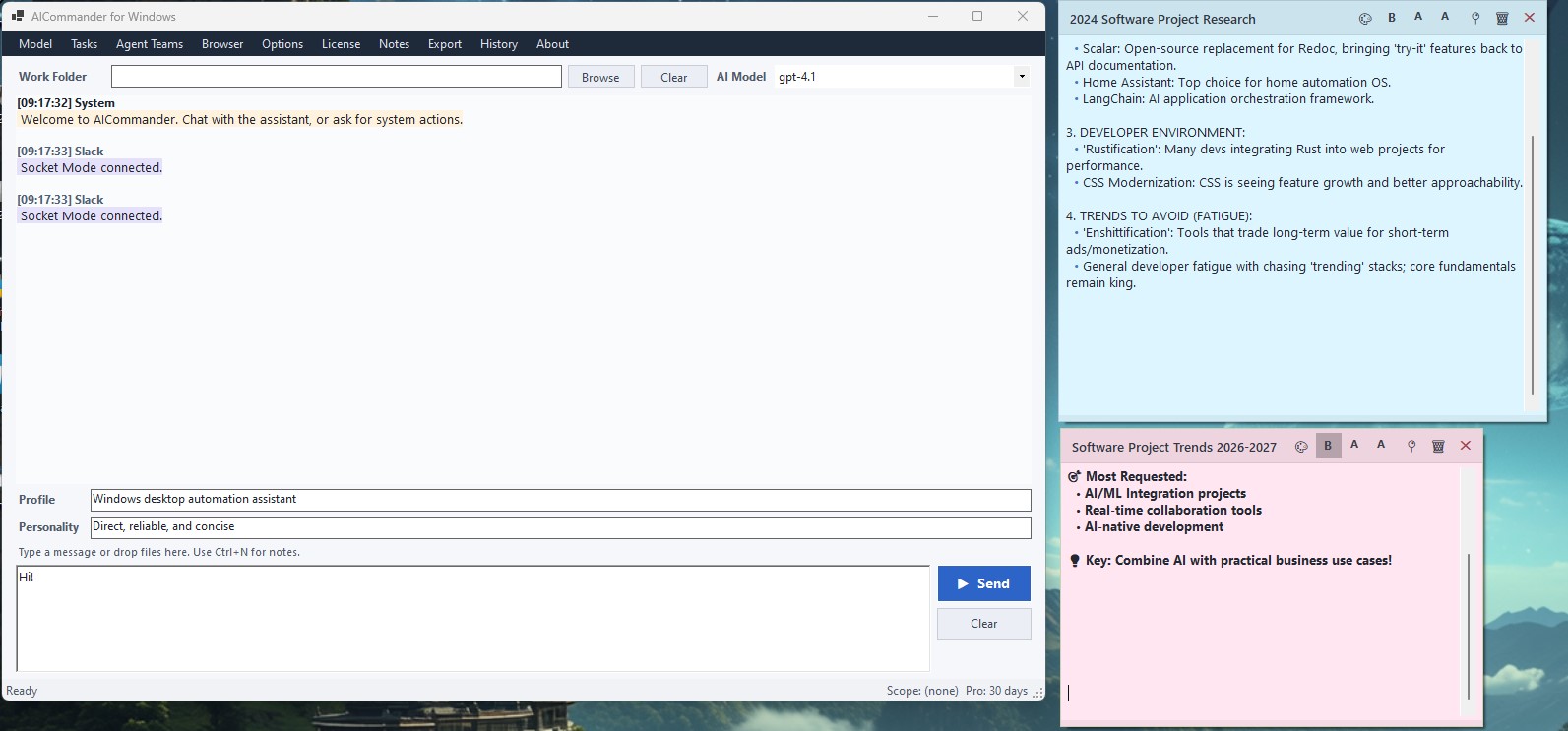
The main workspace where you chat with AI agents, configure your profile and personality, manage the working folder, and keep sticky notes for quick reference — all in one window.
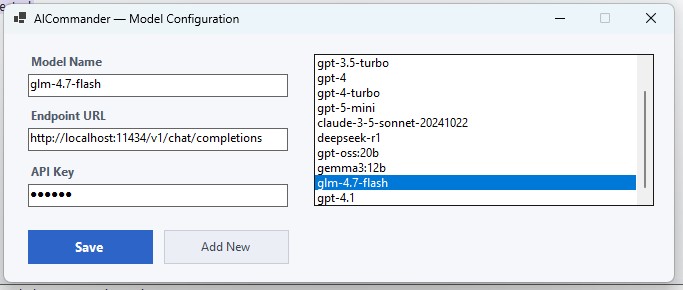
Add models from OpenAI, Anthropic, GitHub Copilot, or your own local server. Switch between them instantly from the toolbar dropdown. Bring your own API key — use the model that fits the task.
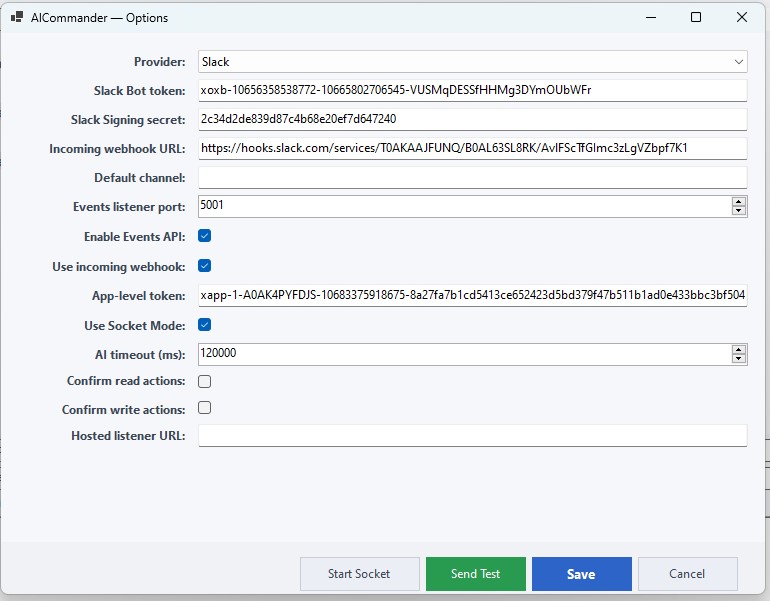
Configure Slack and Telegram integrations, set AI timeouts, enable command confirmations, and connect messaging providers — all from a single options panel.
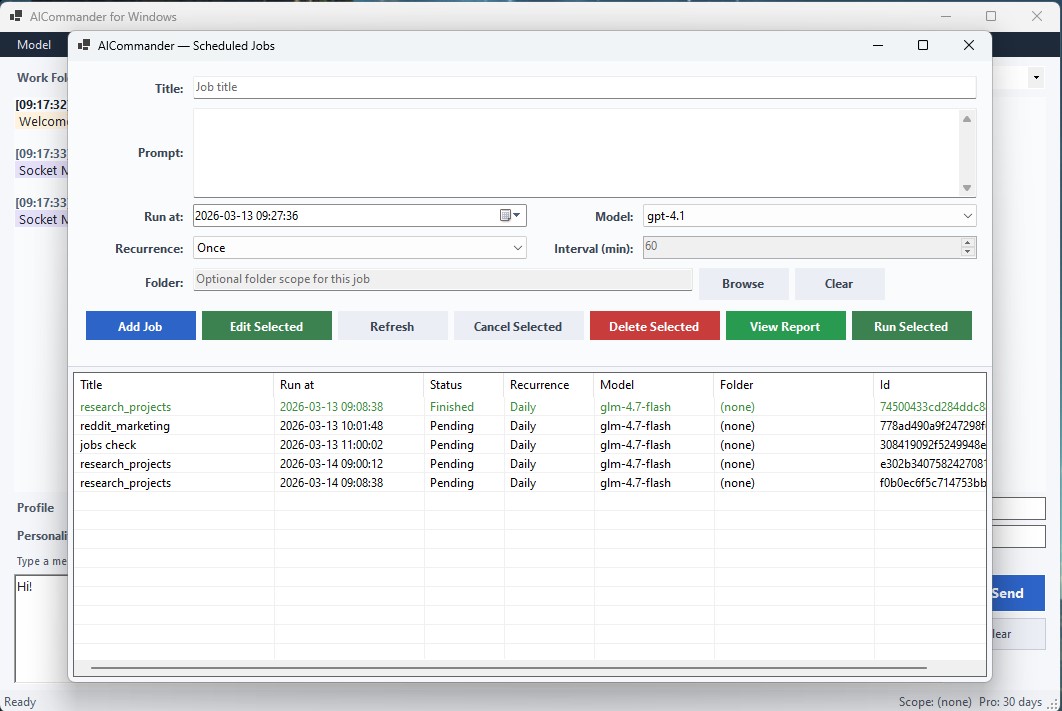
Create jobs that run daily, hourly, or on custom intervals. Each job carries its own prompt, model, and folder scope. View reports, re-run, or cancel — all from the job manager.
Get started immediately with the free version. Includes 4 AI messages per day, 2 scheduled tasks per day, all AI models, dark mode, and system commands. Upgrade to Pro anytime from within the app.
Requires Windows 10/11 · .NET 8 Desktop Runtime · 150 MB disk space
Free vs Pro
AI Commander works out of the box with generous free limits. Upgrade to Pro for unlimited power.
| Feature | Free | Pro |
|---|---|---|
| AI messages | 4 / day | Unlimited |
| Scheduled jobs | 2 / day | Unlimited |
| All AI models | ✓ | ✓ |
| Web automation | — | ✓ |
| Slack / Telegram | — | ✓ |
| Conversation memory | — | ✓ |
| Priority support | — | ✓ |
| Dark mode | ✓ | ✓ |
€10 / month
AI Commander Pro — Unlimited
Subscribe — €10/monthSecure payment via Stripe. Cancel anytime.